


Anyone with a Spring Hill Public library card now has free access to over 9 million songs from more than 28,000 labels, including the Sony Music catalogue. With the Freegal Music Service, Spring Hill Public Library cardholders can have a weekly download limit of three tunes and a streaming limit of three hours daily. Library cardholders can keep track of individual download selections in the upper right corner of the site. Every song has a sample clip that you can listen to before completing a download, but you must be logged into the website to enjoy the sample clips.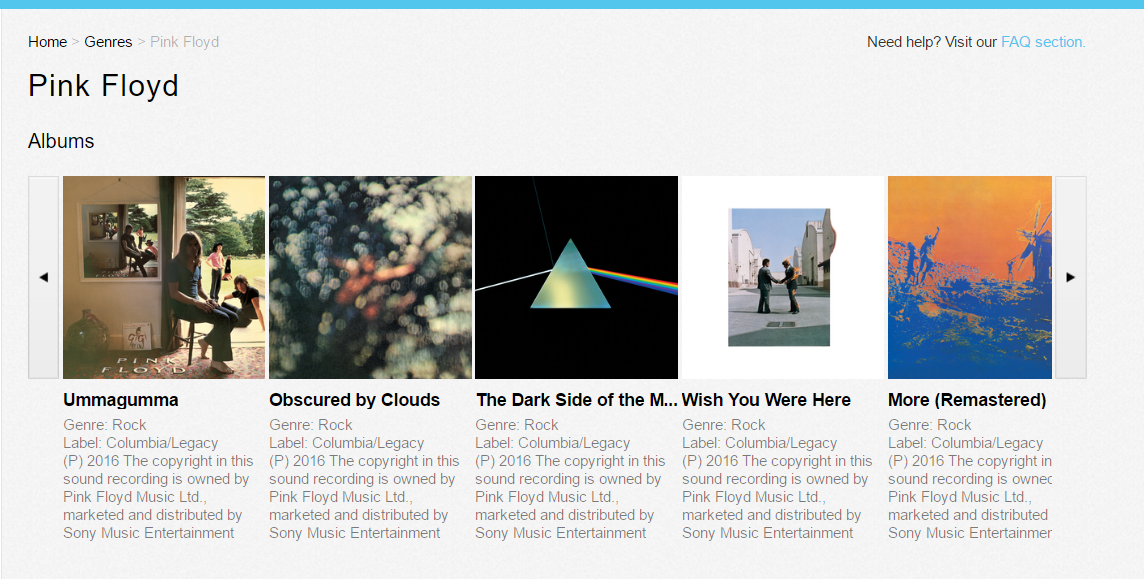
Enjoy easy access: Library cardholders will start by going to the library’s designated website. Downloads on the website are in MP3 format with no DRM; also available are music videos in the MP4 format with no DRM. This service will work on almost any computer, player, tablet or smartphone. The Freegal Music mobile app is free in the Apple® App Store and Google® Play. Library staff will help cardholders with their first download and/or set up an app for their device.
Enjoy music videos, which cost two of your allotted three weekly downloads. You’ll be unable to download a music video without two available downloads.
Query the search engine, which provides both a simple and advanced search and will return results primarily by the album name from which the song originated.
In announcing this service, Spring Hill Public Library Director Hulen Bivins noted that Freegal Music is a program that should have appeal to all age groups. For example, churches and child care centers may be interested in children’s songs for education and entertainment, while teens might have an interest in current pop or contemporary country music. Adult groups may enjoy musical collections such as classical, jazz, gospel or show music. Additionally, assisted living facilities may work with their residents to form a catalog of tunes as collected by their residents in a specific category such as big band tunes or folk music (early Americana).
Bivins added that the music downloads obtained from Freegal are permanent. There is no termination date for the download of any individual tune. The total collection of music that one downloads stays permanently with the individual.
The Spring Hill Public Library, which serves the residents of the City of Spring Hill, and Williamson and Maury counties, anticipates a positive reception from the community regarding this new service and the library’s staff looks forward to assisting library cardholders in an introduction to great music, according to a news release.
How to Enjoy the Service
Streaming and downloading
As a cardholder of the Spring Hill Public Library, you now have a weekly download allotment, and a daily streaming allotment. Counters are in the upper right corner and will keep you informed of your allotments and usage.
How to stream. How to download
- When you put your cursor over a song or an album, you will see a “stream now” button come up. That’s your cue to press that button and start listening. If you press the button on an album, the whole album will play the songs in order.
- You may use “Freegal Playlists.” This is a list of pre-selected songs in a genre.
- To create a playlist: 1. Click on “My Playlists” under “Streaming” on the left side.
- Click on “Create and Store Playlists.”
- At the top center, click the “+” symbol next to “Saved Playlists.”
- Name your playlist (ex. “The Boss”) and describe it (ex. “Bruce”).
- In that box, click on “Create New Playlist” and your playlist is ready to add music.
- Click on the “Home” page and start looking for music to add.
- To add an album, move your cursor over an album cover and a =+ will appear. Click it, and then add to your chosen playlist option.
- To add an individual song, click the image until you see a play arrow and =+ sign. Pressing the =+ will allow you to add the song to your chosen playlist.
Go Mobile with Freegal Apps
Freegal Music also is a mobile experience. The new Freegal Music update for Android and Apple devices is available in stores/marketplace to stream ad-free music at no charge.
For more information, see the FAQs on the Freegal Music website, or contact the library at (931) 486-2932.
[scroller style=”sc1″ title=”Spring Hill Library News” display=”tags” tags=”spring-hill-library” number_of_posts=”6″ speed=”300″]
[gap height=”20″]


Please join our FREE Newsletter